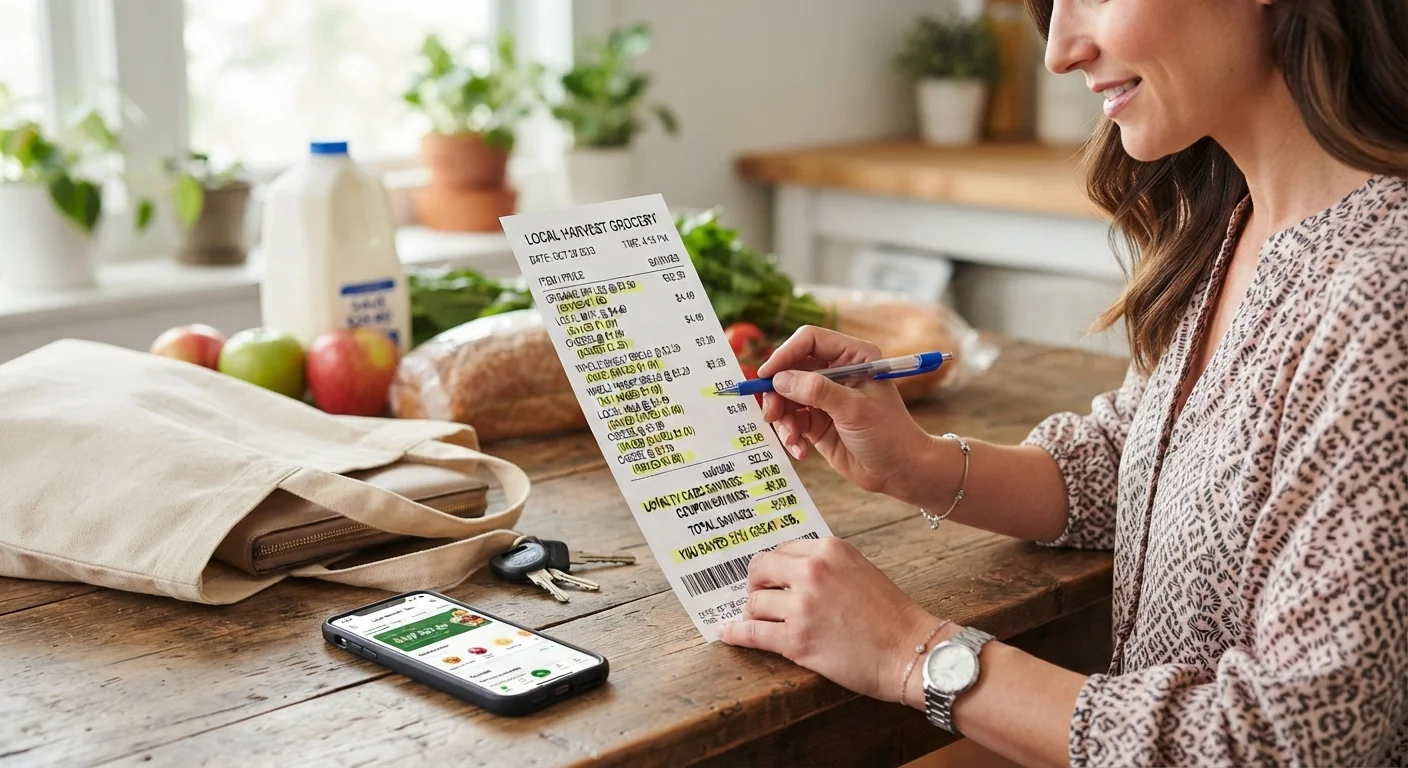
A grocery receipt is more than a proof of purchase, it's a record you can actually use to catch pricing errors, verify that a discount applied correctly, and understand whether a "sale" was a genuine deal or a marketing trick built around unit pricing. Taking a minute to review it before leaving the parking lot is one of the simplest habits for protecting a tight grocery budget.
This guide is independently written and is not affiliated with USDA, OPM, or the official federal Feds Feed Families campaign.
Start With Unit Pricing, Not the Sticker Price
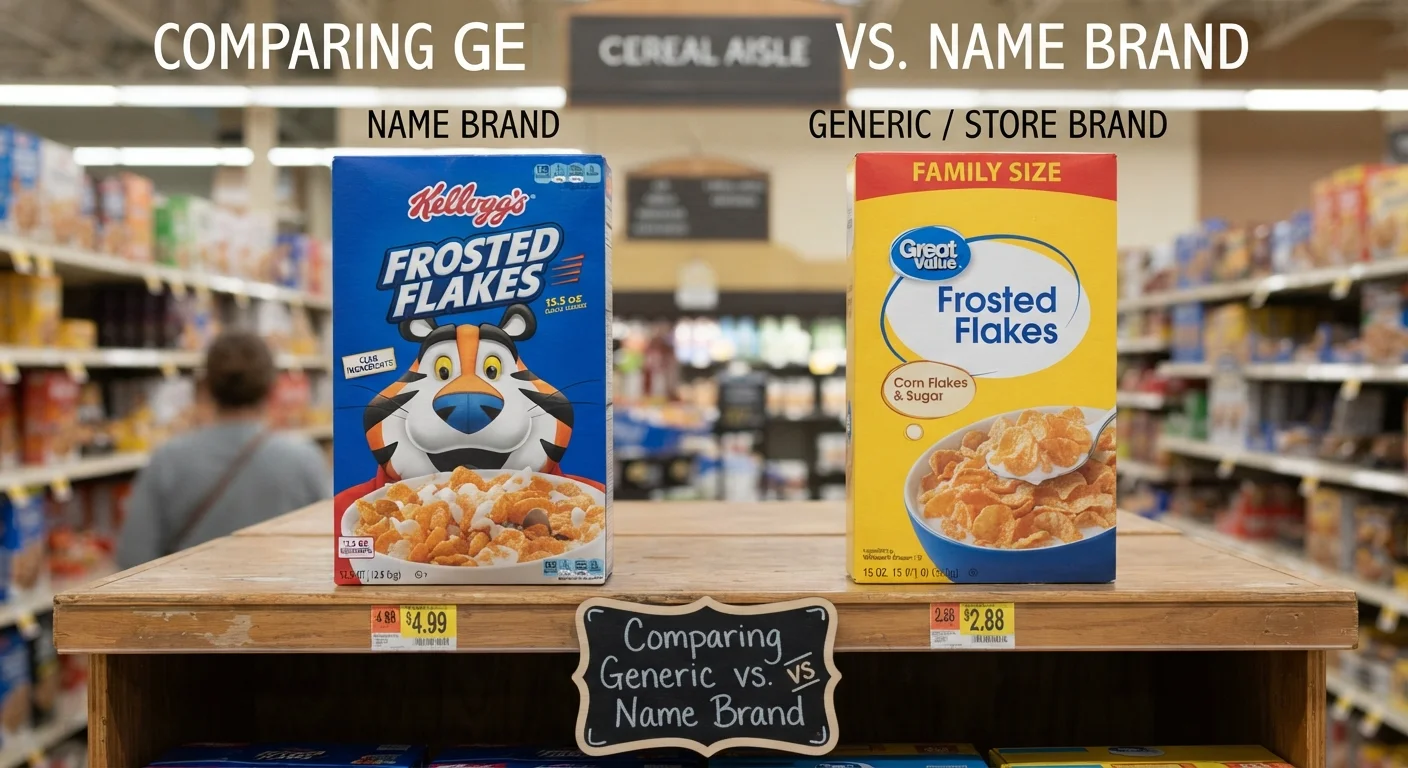
According to AARP, the small numbers printed on a shelf tag showing cost per pound, quart, or another standard measurement, called unit pricing, are one of the most reliable tools for slashing a grocery bill, since they let you compare two differently sized packages fairly. If a shelf tag is missing a unit price or the numbers seem mixed up, you can calculate it yourself by dividing an item's total price by its size in ounces, pounds, or liters, then comparing that number directly against a competing product's unit price rather than the sticker price alone.
Why a Bigger Package Isn't Always the Better Deal
- Start With Unit Pricing, Not the Sticker Price
- Why a Bigger Package Isn't Always the Better Deal
- Checking for Scanning and Pricing Errors
- Watching for Taxes and Deposit Fees
- Checking the Back of the Receipt, Not Just the Front
- Using Receipts to Actually Compare Stores
- Be Skeptical of App "Savings" Totals
- FAQ
- What is unit pricing and why does it matter?
- How can a grocery receipt reveal a pricing error?
- Should I trust the "you saved" total shown by a store's app?
- Is a bigger package always the better value?
It's a common assumption that buying the larger size automatically saves money, but this isn't always true, especially as manufacturers have quietly shrunk package sizes while holding the price steady, a practice sometimes called shrinkflation. Comparing the actual unit price on your receipt against what you remember paying last time for the same brand can reveal whether you're genuinely getting more for your money or simply paying the same or more per ounce for a smaller amount of product.
Checking for Scanning and Pricing Errors
Register systems occasionally apply the wrong price to an item, particularly for fresh produce that requires a cashier to manually enter a lookup code, since an incorrectly entered code can result in paying a premium price for a standard item. Reviewing the produce and any weighed items on your receipt against what you remember the shelf tag saying is worth the extra minute, especially since correcting an error is far easier while you're still at customer service than after you've left the store.
Confirming Digital Coupons and Loyalty Discounts Actually Applied
Clipping a digital coupon in a store's app doesn't always guarantee it applies correctly at checkout, since a loyalty account that doesn't sync properly or a promotion with fine-print criteria you didn't quite meet can cause an expected discount to simply not show up. Scanning your receipt for the specific discount line before you leave the store, rather than assuming it worked, means customer service can usually correct it on the spot rather than requiring a separate trip back.
Recommended Articles
 BUDGETING MEAL PLANNING
 BUDGETING MEAL PLANNING
 BUDGETING MEAL PLANNING
 BUDGETING MEAL PLANNING
Watching for Taxes and Deposit Fees
Depending on your state, certain beverage containers carry a bottle deposit or recycling fee, and register systems can occasionally misapply this fee to an item that shouldn't carry it, or apply it twice. Reviewing the tax and fee lines at the bottom of a receipt, not just the final total, can catch this kind of small but avoidable overcharge.
Checking the Back of the Receipt, Not Just the Front
Some receipts print additional offers on the back or in small text near the bottom, including invitations to a brief customer survey in exchange for a discount on a future purchase, or a coupon for a partner business. These aren't guaranteed at every store, but it's worth a quick glance before the receipt ends up crumpled at the bottom of a bag or thrown away entirely.
Using Receipts to Actually Compare Stores
Rather than relying on a store's general reputation for being cheap or expensive, comparing your own receipts across the specific stores you regularly shop, for the specific items your household actually buys, gives a far more accurate picture of where your money genuinely goes furthest than any general "cheapest grocery store" ranking can.
Be Skeptical of App "Savings" Totals
Many store loyalty apps display a splash screen after checkout claiming a large total in savings, but this figure is typically calculated using the store's own proprietary method comparing your purchase against a full, undiscounted price, not against what you would have reasonably spent otherwise. A more accurate measure of whether you actually saved money is simply comparing your total spent against your planned budget for that trip.
Read More Articals
FAQ
What is unit pricing and why does it matter?
Unit pricing shows the cost per standard measurement, like per ounce or per pound, printed on a shelf tag, letting you fairly compare differently sized packages rather than relying on the total sticker price alone.
How can a grocery receipt reveal a pricing error?
Comparing what you were charged, especially for weighed produce items, against what the shelf tag said can reveal a manual entry error, which customer service can typically correct on the spot if caught before leaving.
Should I trust the "you saved" total shown by a store's app?
Be cautious. These figures are typically calculated against a full undiscounted price using the store's own method, so comparing your actual total against your planned budget is a more reliable measure of real savings.
Is a bigger package always the better value?
Not necessarily. Package sizes have shrunk over time while prices held steady in some cases, so checking the actual unit price rather than assuming larger equals cheaper is worth the extra few seconds.
Sources: AARP, general consumer receipt-auditing guidance.